For years, a non-Tesla owner pulling into a Supercharger station had two options: watch the Tesla drivers charge, or find another station. That has changed a lot, but the rules are still uneven, and the answer to “can my car use a Supercharger?” depends on your model, your model year, and sometimes your location. This guide walks through how to find the answer for your own car, what the hardware looks like, and what to watch for on the price and the app side.
We wrote this as a short process. Work through the steps in order, and by the end you should know whether your car can charge at Tesla sites with no extra gear, whether you need an adapter, or whether it simply cannot connect.
Understand the two ways access works
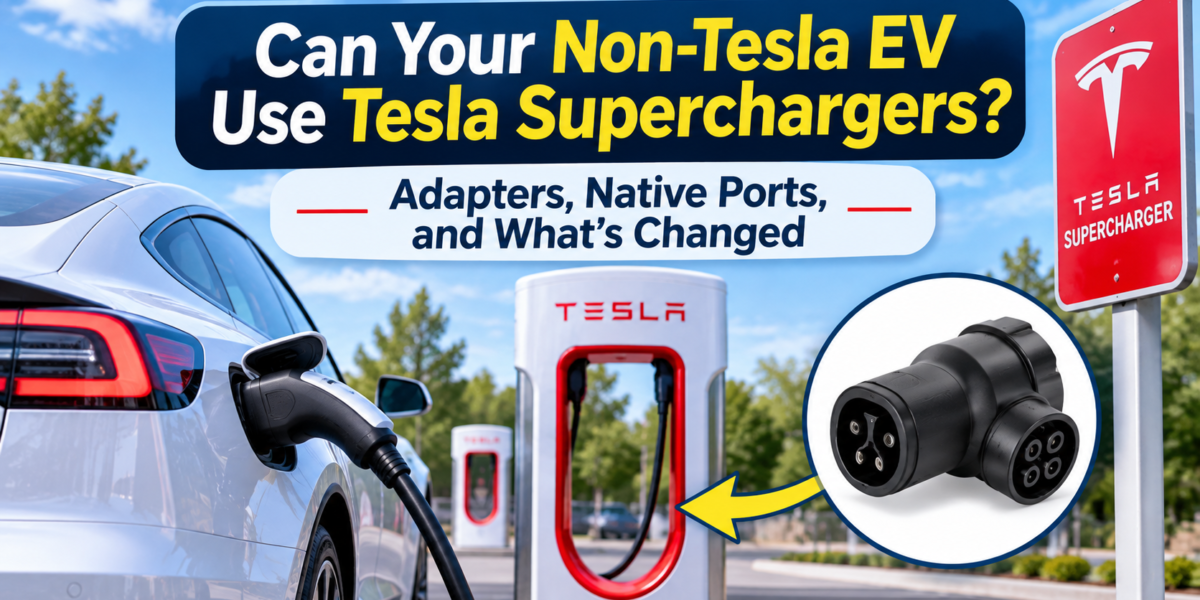
There are two main paths. The first is native access, where the car has a charge port that matches Tesla’s connector, usually called NACS in the U.S. market. A car with a native port plugs straight into a Supercharger cable without any adapter. The second path is an adapter. The car keeps its original port, and a short adapter piece bridges the gap between the car’s connector and the Supercharger’s plug.
Native ports are cleaner and avoid carrying extra hardware, but adapters have been the main route for many drivers. The Charge Port’s guide to Supercharger access explains how these two paths differ, and it is a useful starting point before you look at any specific model.
Check your automaker’s current access list
Access rules change, and this is where many owners get caught out. An automaker may add native access for a new model year, announce a partnership, or turn on access for an older model through a software update. Start with the automaker’s own website or owner support pages, and search for “Supercharger access” with your model name and year.
Do not rely on a forum post from last year or a summary article without a date. Write down the date of the page you read, and check it again before you buy an adapter or plan a long trip. A few minutes spent here can save you from buying hardware your car does not need.
Know which cars are left out
Not every EV has a clear path to Supercharger access. Some older models were built with ports that cannot take an adapter in a safe way, and some lack the communication features that Tesla’s network needs. Consumer Reports’ overview of Tesla Supercharger access for other EVs covers the general situation and the questions to ask. Read it with your car’s documentation open, so you can match the general rules to your specific vehicle.
If your car is on the excluded list, the Supercharger network is not available to you, at least for now. Plan your long trips around other fast-charging networks, and check the route before you leave.
Compare the adapter options
If your car needs an adapter, look at the hardware with care. Adapters are not all built the same way. Some are simple passive pieces, and others include electronics that handle communication between the car and the station. The IEEE Spectrum piece on EV charging adapters explains why the technical side matters, especially around safety, current limits, and communication.
Buy from a reputable seller, check that the adapter is rated for the current your car can use, and confirm that it is compatible with your car’s software. A cheap adapter that cannot handle the car’s communication protocol will simply fail to start a session, which is frustrating at a busy station.
| Question | Why it matters |
| Does my car have a native port? | Decides whether an adapter is needed at all |
| Is my model on the current access list? | Confirms whether the car can connect |
| Is the adapter rated for my car’s current? | Affects charging speed and safety |
| Does the adapter handle communication? | Decides whether sessions start reliably |
Check the price before you plug in
Access is not the same as equal pricing. Stations and apps may show different rates depending on the car, the account, and the time of day. Some owners find that the price shown in the Tesla app differs from the one shown in their own network app. Open the app before you start a session, check the rate, and confirm the session cost after it ends.
Also check whether your car’s software can show charging status and session information clearly. Some owners find that features they expect work differently, and that can make a long session harder to track.
Plan for the rough edges
Even when access works, the experience can differ from a Tesla’s. Stalls may be busy, cable reach may vary by car, and some sessions may need a restart if the car and the station lose their connection. Carry your adapter, keep the app updated, and have a backup plan on your route.
A practical habit is to start with a shorter session on a new station, so you can see how the car and the charger communicate. Once that works, you can rely on it for longer trips.
Research note from the EVs-Future team: Access rules change often, so treat the sources above as a starting point and check each automaker’s current page before you buy hardware or plan a trip. We have not listed specific models here because the list changes, and an outdated list can cost a driver a wasted trip.
Want to read the truth about Tesla’s flying car? Click Here